A fast, simple RSS feed reader that delivers a great reading experience.
From Feedly to Feedbin
Almost €155 to read RSS feeds? That was a bit too much for me...
For years I used Feedly as my feed reader and was always satisfied with it. When I started to slowly leave Twitter (back then), I upgraded my subscription to be able to create Twitter lists in Feedly and follow certain accounts without having to access Twitter directly.
Twitter no longer exists, the APIs are turned off – let's not mention the new new owner.
A few basic rss reader functions remain for me that I don't want to go without:
- Sync: I want to be able to access the feeds from anywhere (Desktop / Mobile) and have them synchronized accordingly.
- Read-Later: I need some kind of function to bookmark posts. Because often I only go through my feeds once and mark everything I want to read later.
- Newsletters: It would still be great to be able to subscribe to newsletters and have them displayed as feed items.
- Interfaces: The icing on the cake would be interfaces outwards so that I can do things from the feed reader.
Goodbye Feedly
Feedly does many things very well. Lately, they also managed to get on my nerves very well – with their AI stuff. I was constantly reminded of what new AI service I could now book.
Visually, nothing has really changed at Feedly in recent years. Reading posts was okay, but not more than that. Newsletters I had subscribed to also often looked a bit broken.
Therefore, I was rarely directly on Feedly, but read my feeds through the Reeder app. Which made the price for Feedly even more absurd.
I could also subscribe to feeds directly in Reeder without an instance in between. If not for my wishes. So an alternative had to be found. I had already asked around in 2023, but then missed canceling my subscription on time. Not this time.
Hello Feedbin
My choice fell on Feedbin. Thanks to the trial phase, I could test Feedbin extensively and was very satisfied after a short time.
I was able to import my feeds thanks to OPML. And Feedbin even helped me find orphaned feeds and correct their URLs. Very pleasant.
For my newsletters I had to do a little more work and subscribe to them again. But here I wouldn't know how it could work technically differently. One thing immediately stood out positively: With Feedbin, after subscribing, I get a list of all newsletters displayed. At Feedly, I always searched for this and never found such a list.
What stands out immediately in contrast to Feedly is the design. Simple, yet modern and functional. The folders that I created at Feedly appear as tags in Feedbin's menu, so I have a good structure. Posts can be read well – including newsletters.
I can mark posts with an star and I can click a magic button, which I already know from Reeder. This button fetches the complete text of a post from the website, even if the text is shortened in the feed. Perfect!
Despite the possibility of staring posts, I decided on a different Read-Later service and chose the good old Instapaper. Just as minimal and beautifully designed as Feedbin and directly connected.
Speaking of connection: Feedbin allows you to create social plugins. You can then forward content through these and use them for sharing. Instapaper is there, along with numerous others. It is also possible to enter your own URLs, which I naturally tried out immediately.
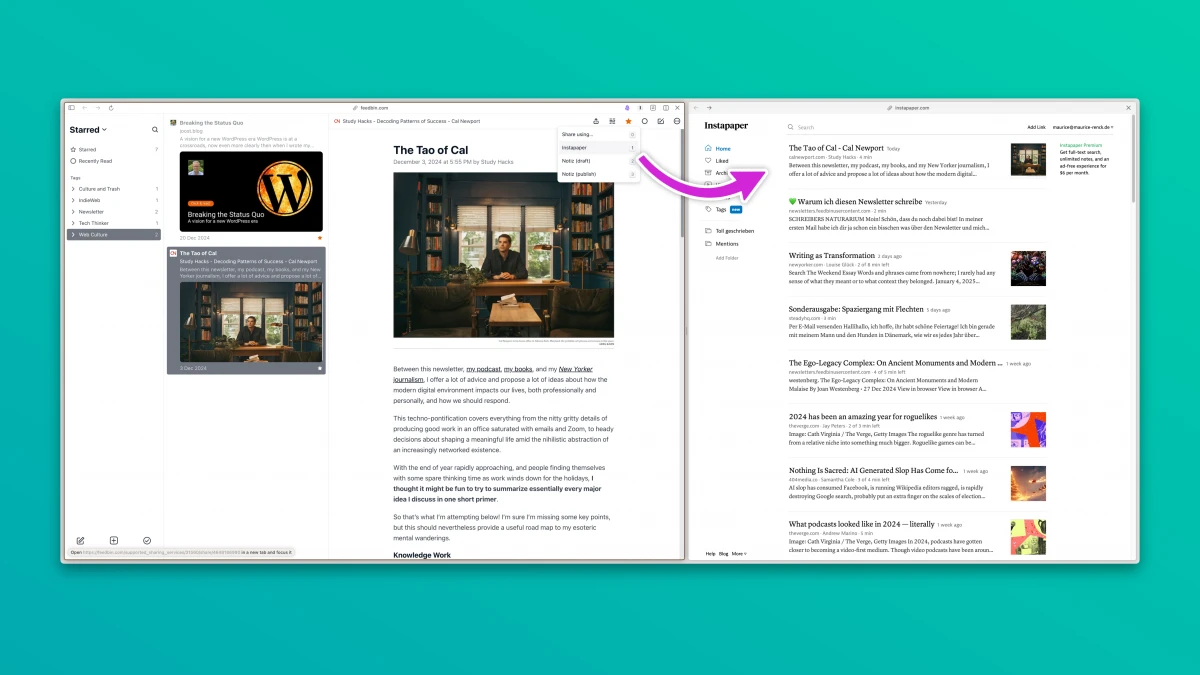
In Kirby, I built an endpoint that receives the URL, title and source. Shared posts then end up directly in my notes on my page. Either directly public or as a draft to be further edited.
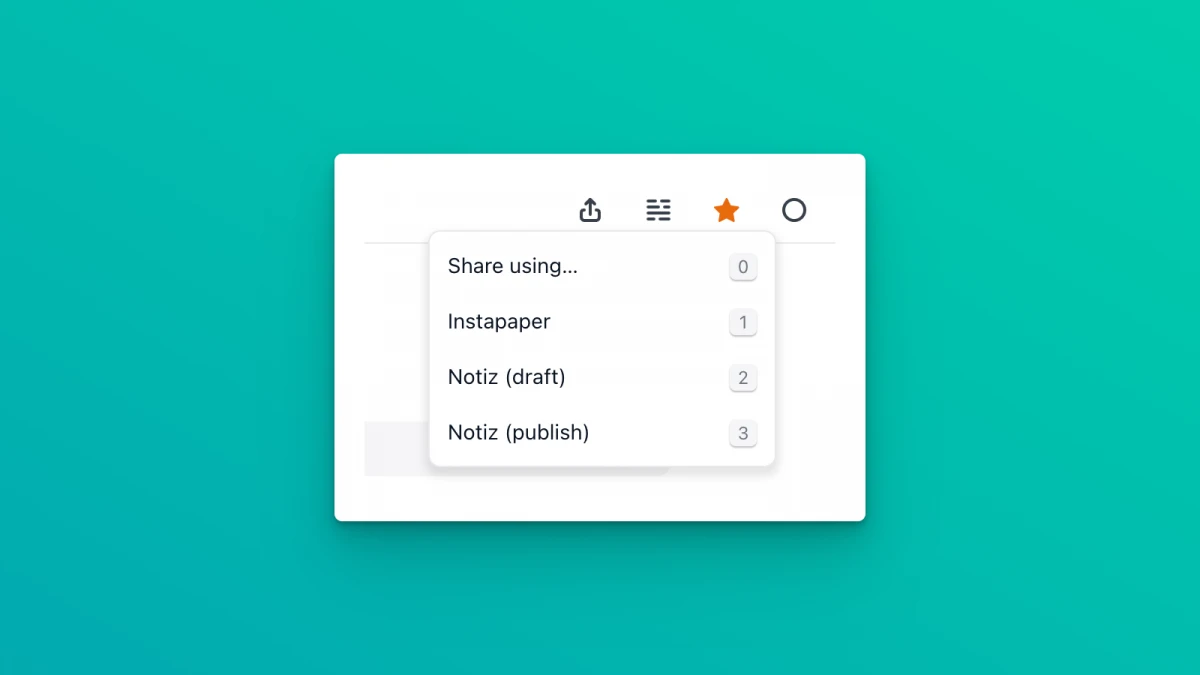
It gets even better: Feedbin can be operated with keyboard shortcuts! So I have three shortcuts at hand to share posts directly:
Ha! That's something you just have to love!
I press 1, 2 or 3 and accordingly the current post goes its way.
Conclusion
As you can probably tell: I am quite enthusiastic with Feedbin and will be happy to continue using it. Since I've been on Feedbin, I haven't used the Reeder app anymore because everything works directly and looks great.
Anyone who is still looking for a reader with the mentioned functions should definitely consider Feedbin.
Und warum nicht nur Reeder? Hab ich nicht so ganz verstanden.
Mit Reeder alleine kann ich einerseits leider keine Newsletter abonnieren und ich habe vor allem keinen Sync zwischen den Geräten (weil mobil mit Android unterwegs).
Newsletter abonniere ich auf einer persönlichen Weiterleitungs-Mail (news@xxx.tld) und leite sie dann einfach weiter – so muss ich sie nicht immer neu abonnieren, wenn ich den Dienst mal wechseln sollte ;)
So clever war ich natürlich mal wieder nicht. Das merke ich mir aber für neue Abos :)